guide
Free Stem Splitters in 2026: Pricing, Limits, and Mode Coverage
Looking for a free stem splitter? Skip vague quality rankings. Compare pricing models, usage limits, and what you can actually extract — then hear MusiCraft’s separation modes.
이 페이지에서
Most “best stem splitter” lists grade tools by sound quality they never let you hear. In 2026, the decision that actually changes your workflow is simpler: what’s free, what’s capped, whether you need desktop software, and how many separation modes you get in one product.
This guide is a buying checklist — not a beauty contest. We won’t rank competitors by audio quality. We’ll show what MusiCraft can extract across multiple modes, and how pricing/convenience usually decide the tool you’ll keep using.
How to split stems in 4 steps
- Sign up for free to create an account and get your initial credits.
- Upload your track (MP3, WAV, M4A, or FLAC).
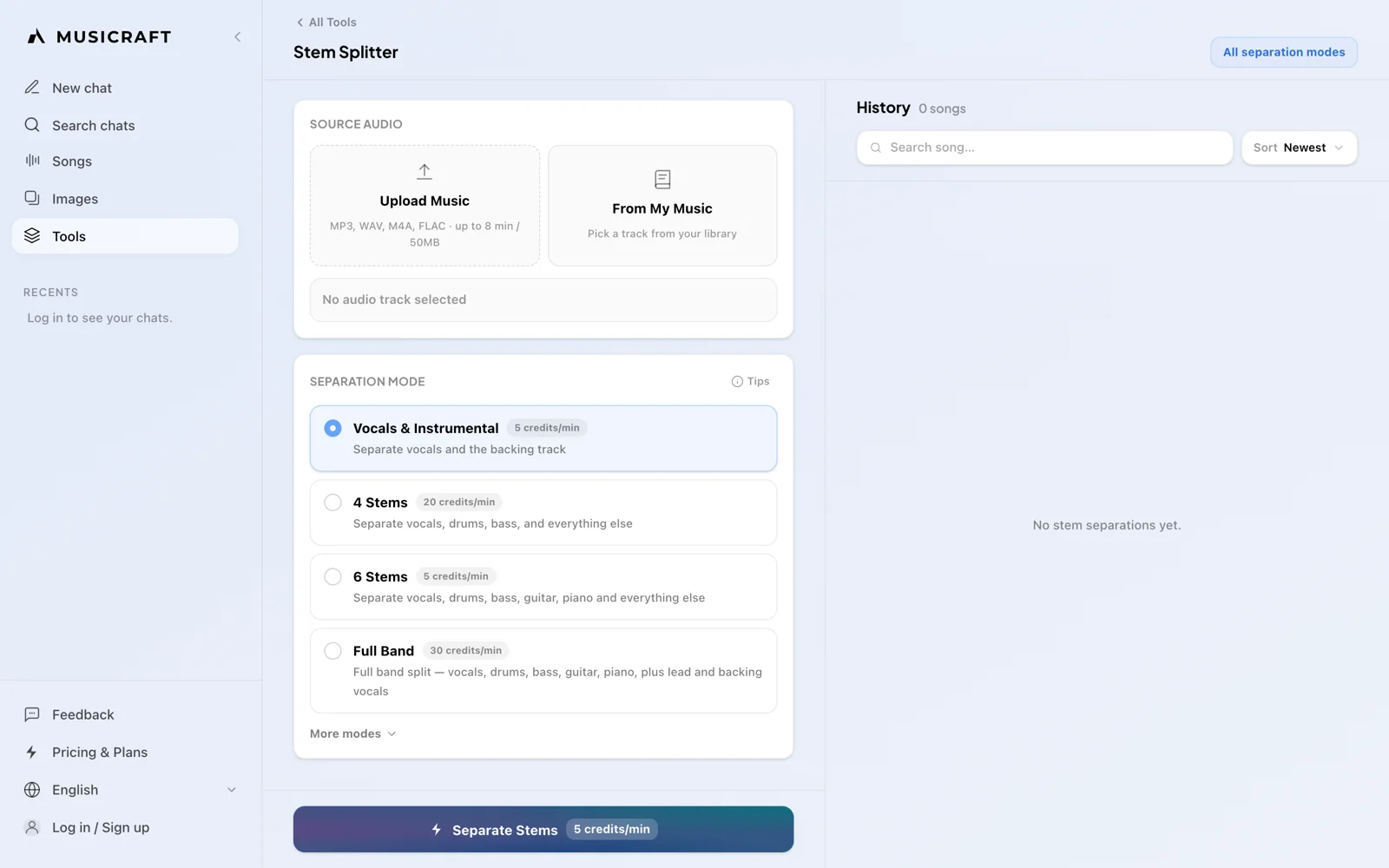
- Pick a separation mode (e.g., Vocals & Instrumental, 4 Stems, Drum Kit).
- Separate and download your isolated stems.
What “free” stem splitting usually means
“Free” in this category almost always comes with a trade-off. Before you commit to a workflow, map the tool into one of these buckets:
| Type | Typical catch | Best when |
|---|---|---|
| Free online with monthly caps | A few songs or minutes per month, then pay | You split occasionally |
| Free desktop software | Install, GPU, model picking, setup time | You’re technical and process locally |
| Paid credit / minute packs | Cost scales with every track | You need heavy batch volume |
| Freemium suite with account | Signup required; features tied to a plan | You want browser tools + saved jobs |
A 5-question checklist before you pick a tool
- Do you need karaoke (vocals + instrumental), or production stems (drums, bass, guitar, piano)?
- Can you install desktop software and manage models — or do you need a browser workflow?
- How many tracks will you split per month? Caps and per-minute pricing hurt fast once you’re past “try once.”
- Do you need rare modes — drum kit layers, choir parts, or single-instrument isolation?
- Do you want one product for multiple jobs, or are you fine juggling three sites and three credit systems?
If your answer to #4 or #5 is yes, mode coverage and plan simplicity matter more than another generic “4-stem” marketing claim.
Price and convenience — the real ranking factors
Pricing models that waste money
- Per-minute packs: fine for a one-off, expensive if you remix weekly.
- Tiny free tiers: great for a demo, useless as a habit.
- Desktop “free”: free money, not free time — setup and hardware are the cost.
What convenience actually means
Convenience is not “no account.” It’s one place where you can sign in, upload, pick the right mode, download stems, and come back tomorrow without reinstalling tools or buying another credit pack.
On MusiCraft, the flow is: sign up → upload → choose a separation mode → download. Free gets you started. Starter unlocks unlimited stem splitting across the mode catalog — which is usually cheaper than stacking minute packs once you split regularly.
See current plans
Compare Free, Starter, Pro, and Studio — including unlimited stem splitting on paid tiers.
Mode coverage beats another 2-stem demo
A lot of free tools stop at vocals + instrumental. That’s enough for karaoke. It’s not enough if you sample drums, pull guitar for a remix, split a choir, or isolate brass.
Below are playable MusiCraft demos — same product, different modes. Listen for what you can extract, then decide if one toolkit covers your jobs.
Vocals & Instrumental
The everyday split: clean vocals for sampling or an instrumental for karaoke, covers, and content.
샘플 분리 — Justin Bieber - Come Around Me
Justin Bieber - Come Around Me
스템 2개 · 0:00 / 0:00
파형 불러오는 중 0/2
MusiCraft also includes 4-stem, Full Band, karaoke (lead vs backing), strings, saxophone, synth, woodwind, and more — all under the same stem splitter, not scattered across separate apps.
Who should pick what
| Your situation | What to prioritize | MusiCraft fit |
|---|---|---|
| Quick instrumental / karaoke | 2-stem mode, simple upload | Vocals & Instrumental |
| Remix or sample drums | Drum stems or drum-kit layers | 4-stem / Drum Kit |
| Practice or learn parts | Vocals or instrument isolation | 6-stem / instrument modes |
| Choir / arrangement work | Voice-part separation | SATB Choir |
| Regular monthly splitting | Unlimited stems on a clear plan | Starter+ |
| Local GPU batch jobs | Desktop open-source control | Use a desktop toolchain; keep MusiCraft for browser jobs |
Don’t optimize for “best overall.” Optimize for the job you repeat. A karaoke host and a remix producer should not buy the same workflow.
FAQ
Is there a truly free stem splitter in 2026?
Yes — with caveats. Desktop open-source tools can be free forever if you accept install and hardware costs. Online tools are usually free with caps, credits, or a freemium plan. Read the limit before you build a habit around a “free” demo.
Free online vs free desktop — which is better?
Desktop wins if you want maximum local control and batch processing on your own GPU. Online wins if you want speed, no install, and one account that also covers other music tools. Pick based on friction, not marketing stars.
How many stems do I actually need?
Karaoke: 2. Basic remixing: 4. Instrument-level edits: 6+. Specialty work (choir, drum kit, brass): dedicated modes beat forcing everything through a generic split.
Why do online tools ask me to sign up?
Accounts store jobs, manage credits, and prevent abuse. On MusiCraft, signup is the door to Free credits and paid plans — including unlimited stem splitting on Starter and above.
Split your first track on MusiCraft
Create a free account, pick a mode, and download stems. Upgrade to Starter when you want unlimited stem splitting.