

1. Two stems
Voice and band apart for karaoke and practice.
Best for: singers and teachers
An AI voice splitter for your browser: upload a song, pick how many stems you need, preview, then export clean lanes.
By Diego Ramos · Updated

Match a voice splitter mode to the job.
Voice and band apart for karaoke and practice.
Best for: singers and teachers

Vocals, drums, bass and other for rebuilds.
Best for: producers

Karaoke or Multi-Singer when harmonies matter.
Best for: remix and choir study
A clear path with preview before you download.
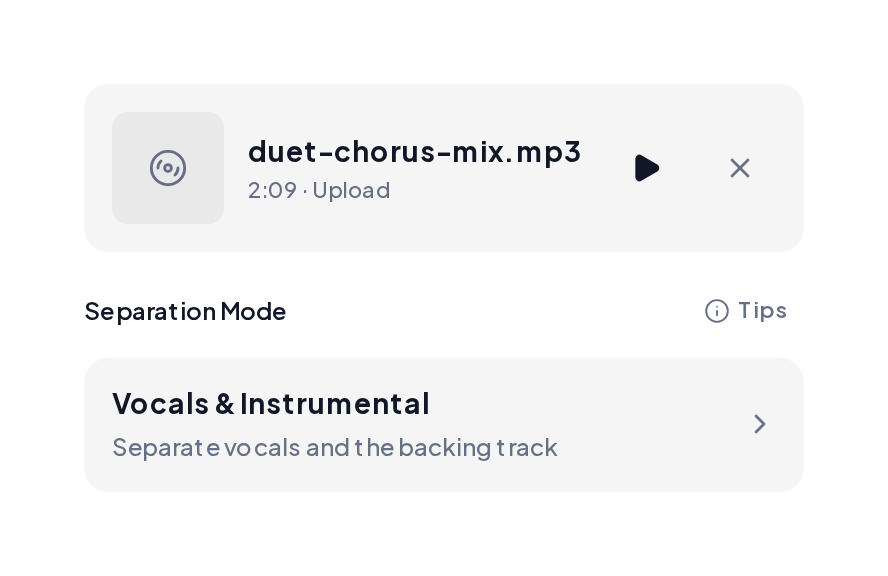
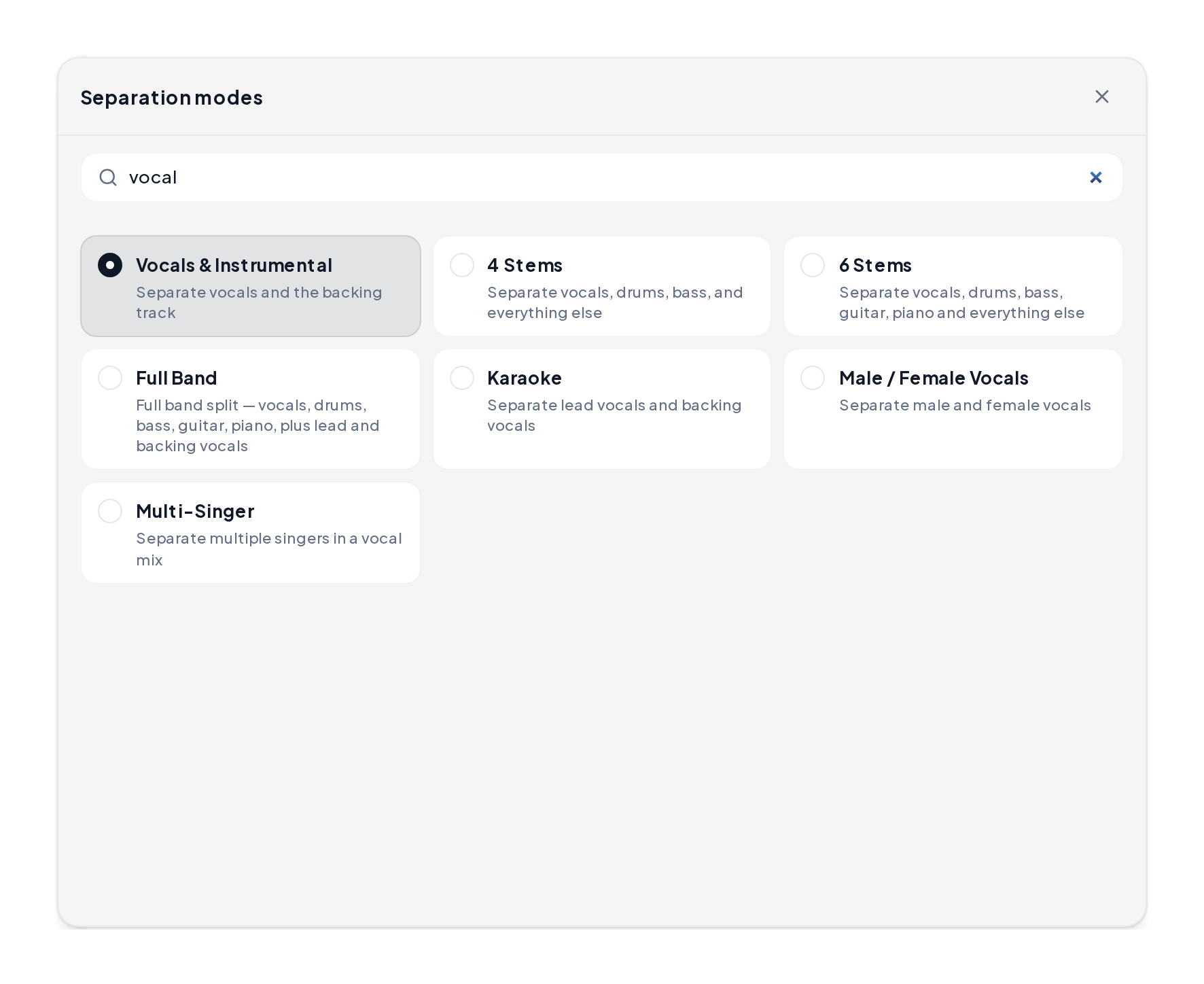
Open the Stem Splitter, upload MP3, WAV, M4A or FLAC, then pick Vocals & Instrumental, 4 Stems or another mode.
Solo the vocal and instrumental lanes, then download the files you need.
AI vocal separator demos: full mix, separated voice, and instrumental bed.
Full mix reference
A sung mix before the pass.
Separated voice
Voice lane after the split.
Separated instrumental
Band lane ready for karaoke or edits.
Choose the stem layout before you run the pass.
| You want | Mode | You get |
|---|---|---|
| Karaoke backing | Vocals & Instrumental | Voice plus instrumental |
| Lead and backing | Karaoke | Lead vocal and backing vocals |
| Rebuild the mix | 4 Stems | Vocals, drums, bass, other |
| Full arrangement | Full Band | Richer instrument lanes |
Before you trust a vocal separator export:
Yes. You can try a vocal separator free in the browser before you export.
Both spellings point to the same job: splitting voice from the band.
An AI voice separator path suits karaoke, remix prep and practice stems.
A two-stem pass is fast; 4 Stems adds drums, bass and other when you rebuild.
Preview first, then export MP3 for sharing or WAV when you want a hotter edit.
Upload a track to the free vocal separator and hear the split stems in about a minute and a half.