Every note at its pitch and length
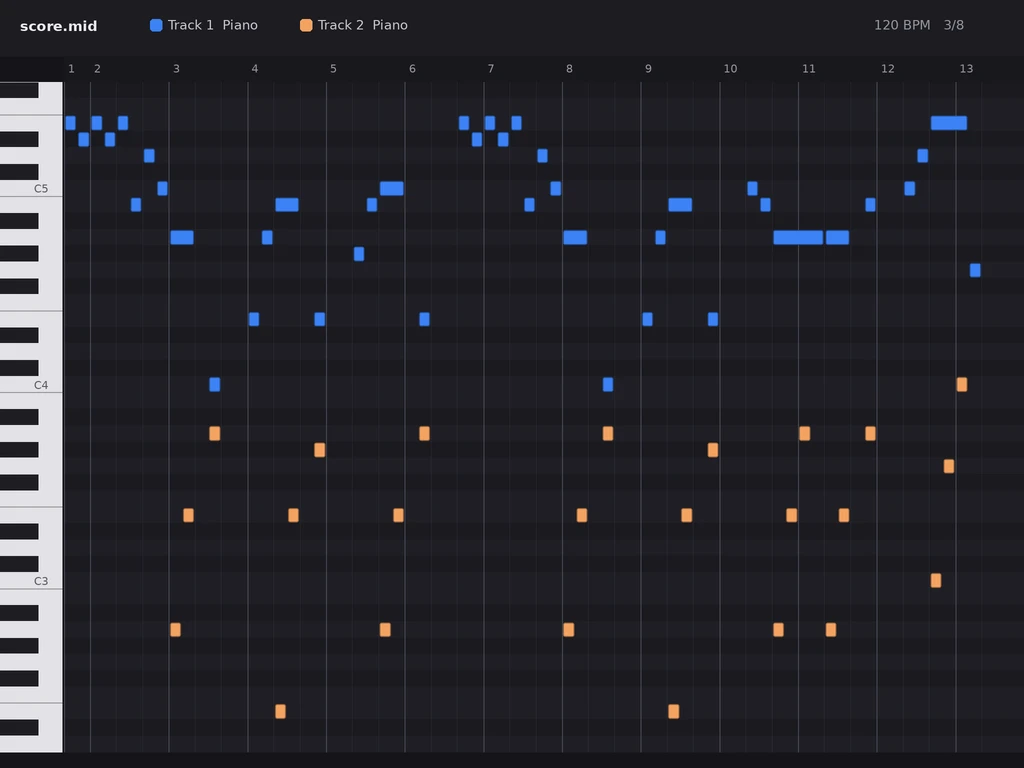
Pitches, rhythms, rests and accidentals from the page land on the piano roll where the score puts them, ready to edit.

Upload a PDF of printed sheet music or a photo of the page. Hear the score first, then download the MIDI for your DAW.
The first page of Für Elise, read from a printed copy. Press play to check every bar, then the same notes go into your MIDI file.
Printed page
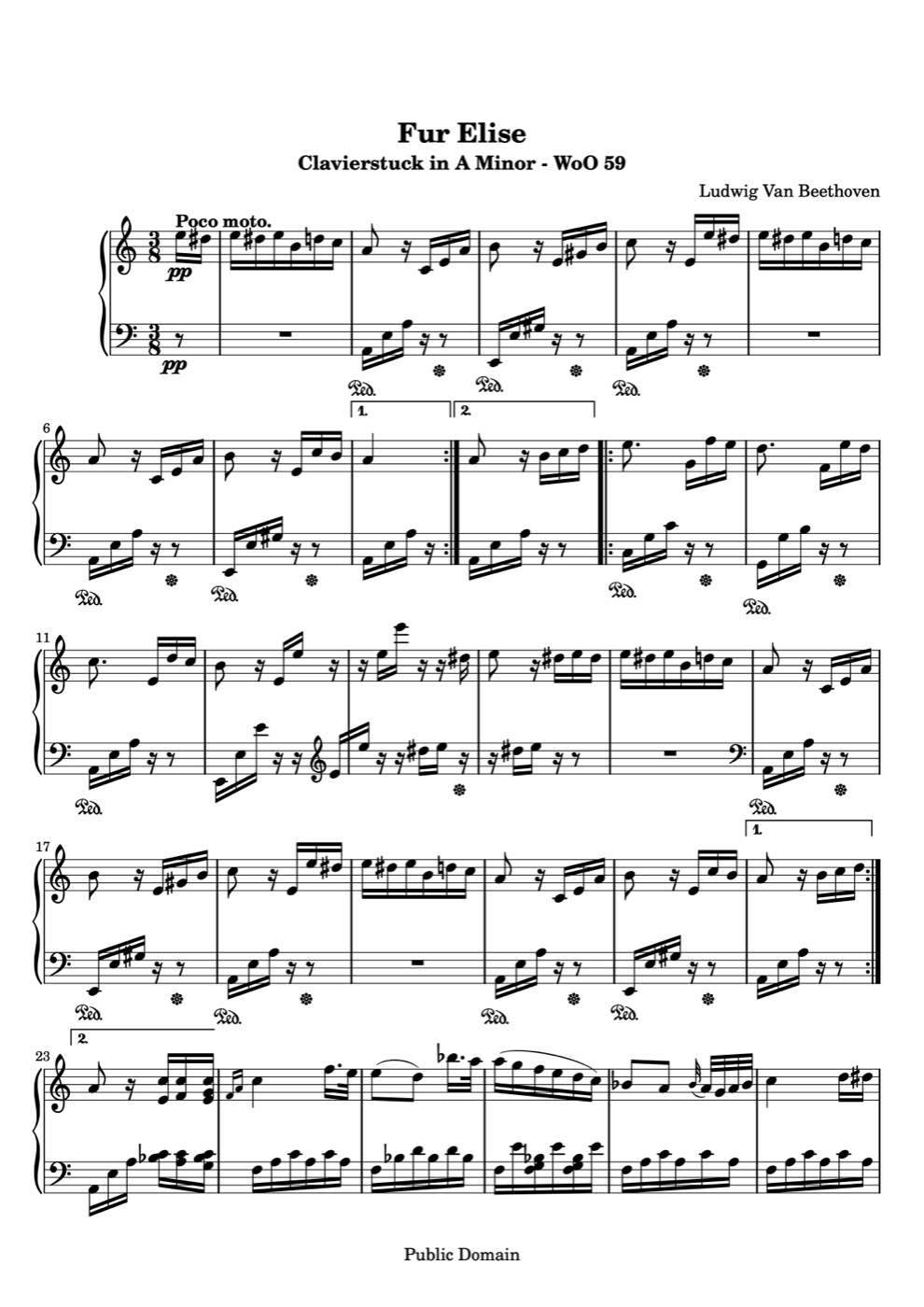
Score read from the page
Loading score…
Everything runs online in your browser, on a computer or a phone.
Add one PDF of up to 10 pages, or photograph the pages with your phone. Printed piano scores and instrumental parts read best.
Optical music recognition reads the staves, notes and rests. Open the result from your library and press play to hear it on piano.
Pick MIDI in the download menu and drop the file into your DAW, notation app or practice app.
These are the real notes from the Für Elise example above, exported straight from the scan.
Pitches, rhythms, rests and accidentals from the page land on the piano roll where the score puts them, ready to edit.
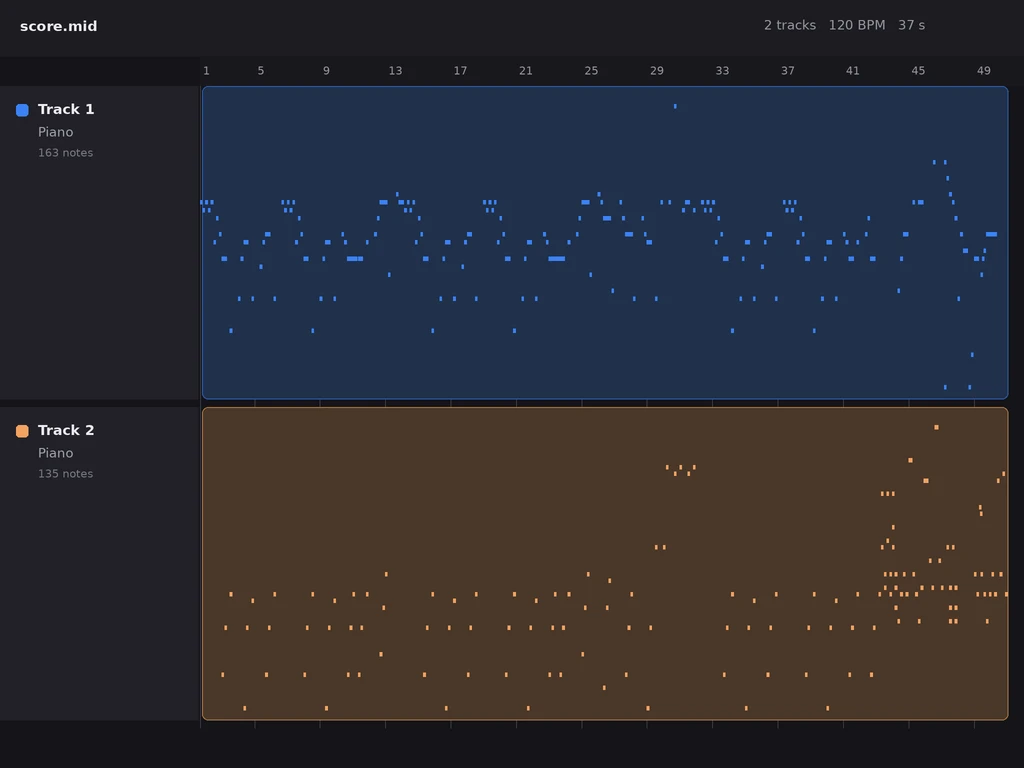
Each staff gets its own track. On a piano score the right hand and the left hand arrive separately, so you can mute, revoice or change the sound of each one.
A standard MIDI file opens in every major DAW. The file starts at 120 BPM, so set the project tempo to match the piece.
Drag the MIDI file onto the playlist or into the piano roll, then assign each track to the plugin you want.
Drag the file into the tracks area. Logic creates a software instrument track for each staff.
Drag the file into Arrangement view to get a MIDI clip for each track, ready to loop, quantize and reharmonize.
Anyone with a score on paper or in a PDF who wants the notes inside software.

Bring a printed melody or chord part into your session and build the arrangement around it.
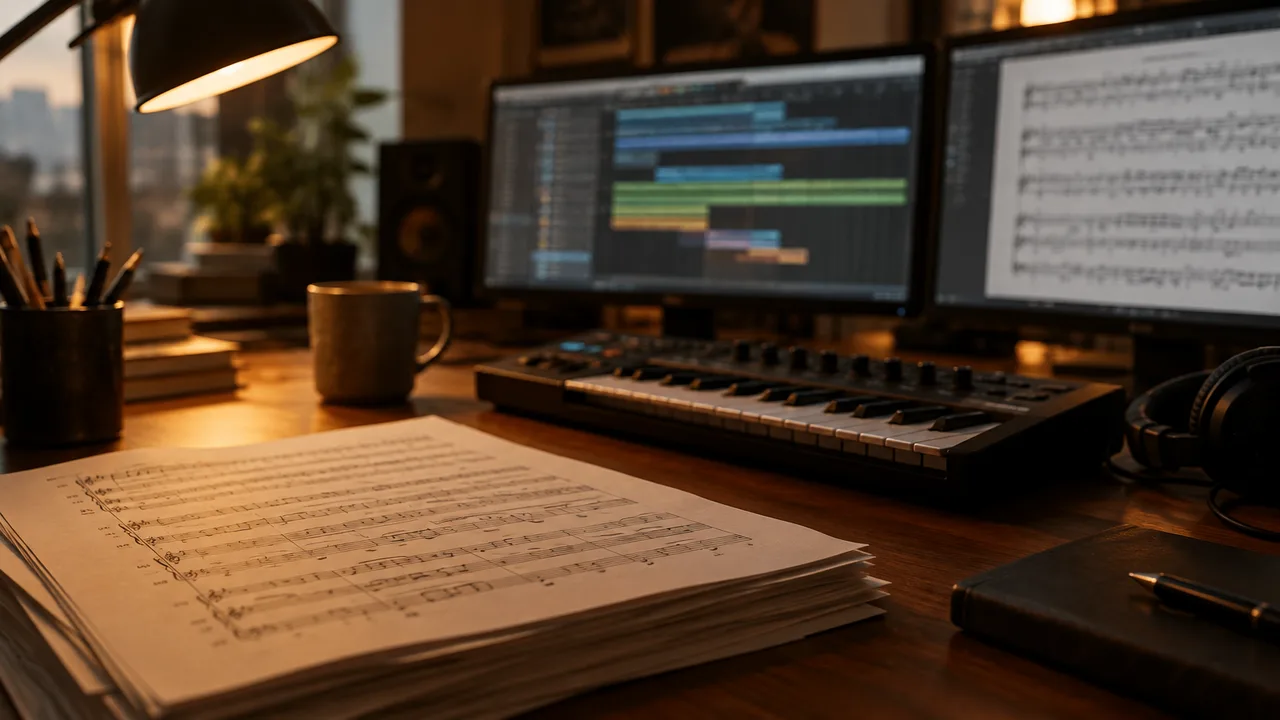
Turn printed sketches and reference parts into MIDI tracks for your template and mockups.

Load a piece into a practice app or a digital piano and follow along hand by hand.

Make backing tracks and playalongs from the exercise books your students already use.
From people who moved a printed score into their software.
“I had a string line on paper from a session player. I uploaded the PDF, heard it play, and had it on a track in FL Studio in two minutes.”
 Priya S.Music producer
“Both hands came in on separate tracks in Logic, which made voicing the left hand for strings really quick.”
 Tomás R.Film composer
“I scan a page from our method book and give students a MIDI file they can play along with at home.”
 Grace L.Piano teacher
Keep going — these tools pair well with what you just read.

Upload a page, listen to it, and take the notes into any DAW.