Loading…

Song to Clavinet MIDI
Pull tight 16th-note funk clavinet riffs, left-hand muting syncopations, and envelope-filtered Hohner D6 grooves straight into editable MIDI. Upload MP3, WAV, M4A, or FLAC, leave clavinet preselected, check the staccato gate lengths on the piano roll against the pocket, and drop the unquantized .mid into your DAW.
Hear the funk pocket, see the clavinet MIDI gates
Play the source groove alongside the piano roll. With clavinet, when a note releases matters just as much as when the tangent strikes — audit crisp yarn-damper releases and ghosted 16th-note chucks before exporting.
Reading the MIDI…
Engineered for tangent strikes, yarn-damper releases, and wah filters
Clavinet-only hard mask in rhythm-section mixes
Clavinet lives in the exact same midrange bite as rhythm guitar and slap bass. Preselecting clavinet applies a hard mask that zeroes in on tangent-struck string transients instead of merging the horn stabs and rhythm section into one chaotic file.
Staccato gate durations and 16th-note ghost notes
The soul of a Hohner D6 line is how fast the yarn damper chokes the string upon key release. The piano roll preserves exact short note-off timings and syncopated two-hand interlocking patterns so the groove never turns legato.
Unquantized .mid for Clavinet D6 & auto-wah plugins
History delivers the unquantized transcription .mid first, preserving behind-the-beat funk pocket. Drop it onto Arturia Clavinet V, Keyscape, or Scarbee Clavinet and let velocity spikes drive your Mu-Tron envelope filter.
Tangent-struck strings — distinct from Rhodes or guitar
Unlike tine-based electric pianos (Rhodes/Wurli) that ring with bell-like sustain, a clavinet strikes a string against a metal anvil with instant damper cutoff. Use the electric piano page for warm tine comps, or clean electric guitar for six-string fretwork.
How to convert a song to clavinet MIDI
Four steps from a greasy funk recording or keyboard stem to a pocket-tight .mid.
- 1
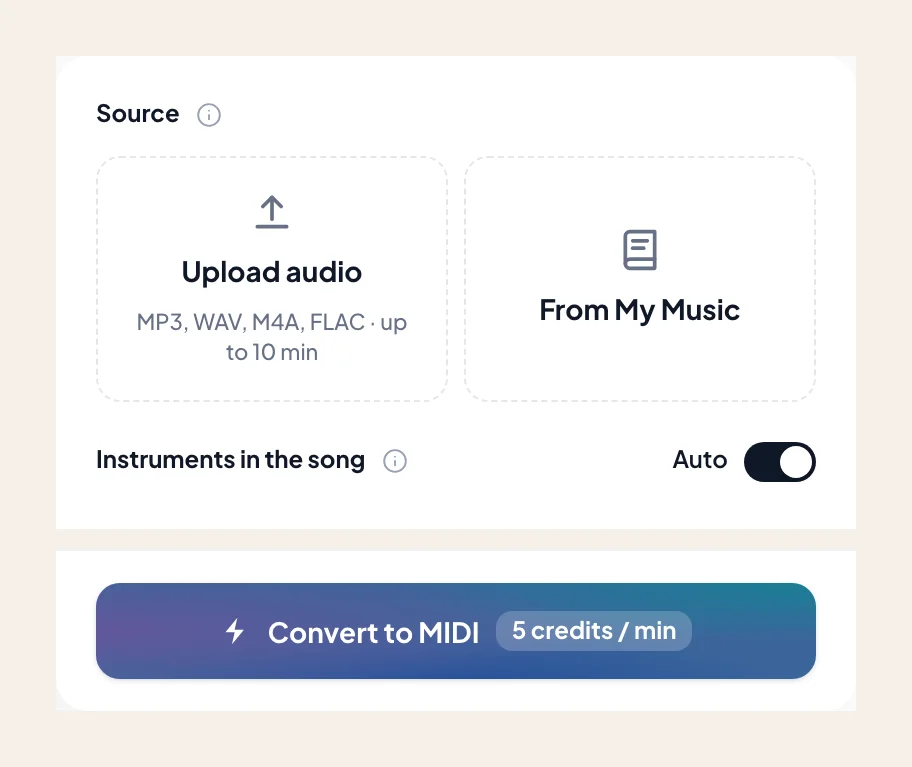
Upload up to 10 minutes of audio
Drop in an MP3, WAV, M4A, or FLAC — a solo D6 riff, a 70s funk rhythm track, or a neo-soul stem where the clavinet cuts through. Or select a track from My Music.
- 2
Keep clavinet selected as the active mask
Clavinet is already chosen when you open the tool from this page. Leave it soloed so the model tracks the percussive keyboard riff instead of the bass guitar or snare.
- 3
Check staccato lengths and octave bass pokes on the roll
Scrub the piano roll beside the audio to confirm that muted left-hand bass pokes and rapid right-hand 16th-note chucks have crisp note-off endings.
- 4
Download the .mid and trigger your envelope filter
Import the unquantized .mid into Ableton, Logic, or FL Studio. Map note velocities to your auto-wah cutoff so hard stabs bark just like the record.
Clavinet MIDI built for funk keyboards and filter racks
Once the 16th-note syncopation locks on the roll, export the .mid to your session. Need traditional notation? Visit the Audio to Sheet Music clavinet sibling page.
- 01
Pocket-Preserving MIDI (.mid)
History surfaces the unquantized transcription MIDI first, retaining exact micro-swing and staccato note durations that hard grid quantization would destroy.
- 02
Ready for Keyscape, Clavinet V & wah chains
Drop the clip onto any Hohner D6 or Castlebar clavinet emulation, toggle ABCD pickup rockers, and drive an envelope follower or crybaby wah with the transcribed velocities.
Tips for tighter clavinet MIDI from wah-heavy recordings
Heavy Mu-Tron filter sweeps and phasers can blur fundamental pitch — use these workflow habits for cleaner riffs.
Inspect resonant auto-wah peaks on the roll
An aggressive envelope filter can boost the second or third harmonic so strongly that a note looks an octave too high. Scrub high outlier notes against the audio before downloading.
Split dense funk rhythm sections first
When scratch guitar and clavinet trade 16th-note patterns in the same stereo band, run Stem Splitter first and upload the isolated keyboard stem for surgical note separation.
Keep note lengths short for authentic D6 bark
If a room reverb tail stretches a staccato stab on the piano roll, trim the note end slightly in your DAW so your virtual clavinet triggers its snappy yarn-damper release sample.
Funk keyboardists and producers on clavinet MIDI
“Trying to transcribe a dual-hand Stevie-style D6 groove by ear is brutal because the left and right hands cross over constantly. Seeing the exact staccato gates on the roll unlocked the riff immediately.”
“The unquantized .mid kept the nasty 16th-note pocket intact. I dropped it onto Keyscape's Auto-Wah Clav and the velocity spikes triggered the Mu-Tron filter on the exact same upbeat accents.”
“Hard-masking clavinet kept the scratch Stratocaster and slap bass out of my MIDI clip. Usually those three instruments turn into total mush in standard audio-to-MIDI converters.”
More funk, soul, and keyboard instruments as MIDI
Switch to sibling keyboard or rhythm-section pages — each preselects its own hard mask.

Piano
Convert a song or MP3 to piano MIDI online. Upload audio up to 10 minutes, keep acoustic piano selected, and download a .mid for Ableton, Logic, or FL Studio — rewrite and revoice in your DAW.
Electric piano
Convert a song or MP3 to electric piano MIDI online. Capture Rhodes, Wurlitzer, or stage-EP comps as a .mid — keep electric piano selected, then rewrite the voicing in your DAW.

Organ
Convert a song or MP3 to organ MIDI online. Capture held manuals and drawbar lines as a .mid — keep organ selected, then shape sustain and voicing in your DAW.
Frequently asked questions
Does Song to Clavinet MIDI give accurate results?
How do I use Song to Clavinet MIDI?
Can the model transcribe clavinet riffs played through an auto-wah or phaser?
Does the exported MIDI preserve the short staccato muting of a Hohner D6?
Should I use this page or the electric piano page for Rhodes and Wurlitzer?
What if the clavinet and rhythm guitar are playing interlocking 16th notes?
Does the MIDI file include wah pedal CC automation?
Can I try Song to Clavinet MIDI for free?
What do I get after conversion?
Can I open the result in my music software?
Can I use the result in my own projects and commercially?
What files can I upload?
How do I get the best result from Song to Clavinet MIDI?
Turn your funk clavinet riff into editable MIDI
Upload the groove, keep clavinet selected, check the staccato pocket on the roll, and grab the .mid.