Loading…
Audio to Harmonica MIDI
Turn soulful diatonic blues harp and chromatic harmonica solos into editable MIDI. Upload an MP3, WAV, M4A, or FLAC, keep harmonica selected so guitars and vocals stay masked out, review draw bends and double-stops on the piano roll, and drop the .mid into your DAW.
Hear the harp wail, inspect the harmonica MIDI on the roll
Play the recording beside the piano roll. Blue-note draw bends, train-rhythm chord chugs, and button-slide chromatic runs are laid out clearly so you can verify every phrase before export.
Reading the MIDI…
Harmonica MIDI that understands free-reed bends and double-stops
Harmonica-only hard mask through acoustic & electric mixes
Starting from this page preselects harmonica as a hard mask. Acoustic strummed guitars, upright bass, and Chicago blues shuffle drums are excluded so only the free-reed harp line writes to your MIDI clip.
Captures draw bends, warbles, and tongue-blocked intervals
Harmonica players constantly bend draw reeds down by one to three semitones, shake between adjacent holes (head warbles), and slap tongue-blocked octaves. The transcription resolves both single-note bent pitches and two-note chord chugs onto the piano roll.
Unquantized .mid ready for chromatic harp libraries & lead synths
History gives you the unquantized transcription MIDI first so gritty human swing and vocal-like phrasing survive. Drop it onto a sampled chromatic/blues harmonica patch or repurpose the soulful lead line on a synth or horn in Ableton, Logic, or FL Studio.
Distinct from accordion and melodica free-reed parts
Although harmonica and accordion both use metal free reeds, harmonica relies on cupped-hand wah formants and mouth-drawn pitch bending rather than two-handed keyboard button chords. Use the Accordion page when transcribing squeezebox accompaniment.
How to turn a harmonica recording into MIDI
Four steps from a blues harp riff or folk solo to an editable .mid file.
- 1
Upload up to 10 minutes of harmonica audio
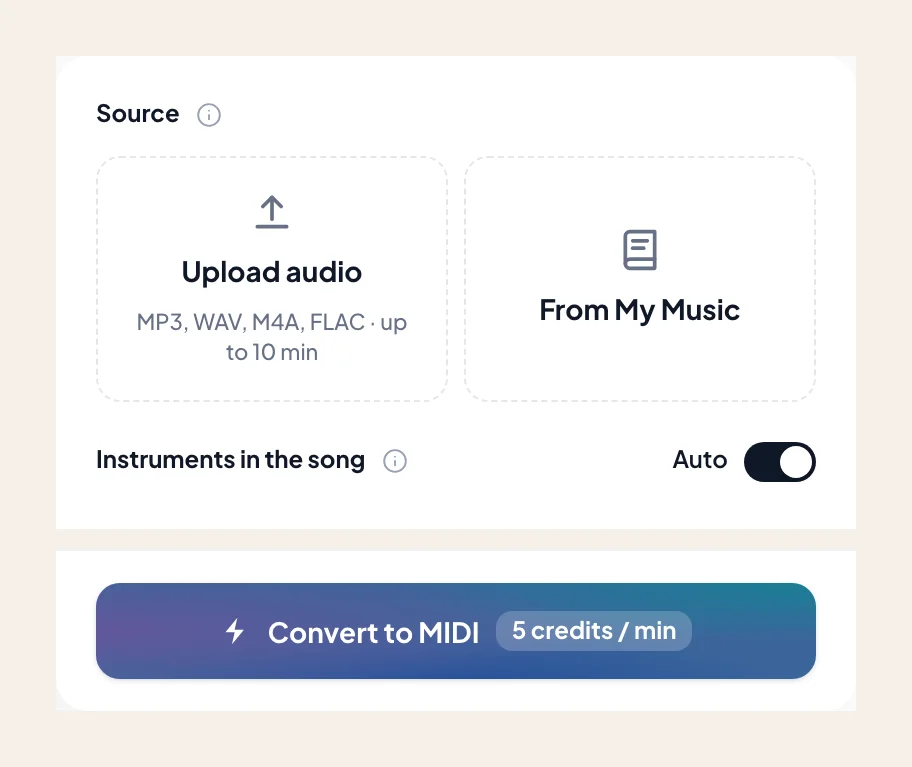
Choose an MP3, WAV, M4A, or FLAC — a camp-fire acoustic folk intro, a distorted green-bullet mic Chicago blues solo, or a jazz chromatic harp ballad. Or select from My Music.
- 2
Keep harmonica preselected
Leave harmonica selected on its own so rhythm guitar strums or vocal ad-libs don't merge into your lead MIDI track.
- 3
Check bent blue notes and hole-shake trills on the roll
Scrub the piano roll against the audio to inspect where 3-draw and 4-draw bends step through semitones or where dirty two-hole double-stops land.
- 4
Export .mid and shape pitch bends in your DAW
Import the .mid into Logic, Ableton, Cubase, or FL Studio to convert stepped semitone bends into smooth pitch-wheel curves or layer new instruments onto the solo.
Harmonica MIDI output for blues, folk, and jazz producers
Download the .mid as soon as the piano roll checks out. Looking for printable staff notation or harp tabs? Visit the Audio to Sheet Music harmonica page.
- 01
Unquantized Transcription MIDI (.mid)
Preserves the loose rhythmic push-and-pull, fast 4-5 hole warbles, and syncopated breath chugs of a live harmonica performance.
- 02
Works in Ableton, Logic, FL Studio & Pro Tools
Load onto specialized harmonica Kontakt libraries, physical-modeling reed plugins, or expressive lead synths in any Standard MIDI DAW.
Get cleaner harmonica MIDI from acoustic and amplified takes
Cupped hands and overdriven tube amps add rich saturation that you can manage with a few smart steps.
Isolate amplified 'Chicago style' harp from electric guitar
A harmonica blown through a bullet mic and tweed tube amp shares the exact midrange crunch of an electric blues guitar. Run Stem Splitter first when guitar and harp trade overlapping licks.
Convert stepped draw-bend notes into Pitch Bend CC if needed
A slow two-semitone draw bend on hole 3 often transcribes as descending chromatic stair-steps on the piano roll. In your DAW, you can join those steps into one note and draw a MIDI Pitch Bend curve to match your virtual instrument.
Know your harp key vs concert MIDI pitch
A cross-harp blues player using a C diatonic harmonica is usually playing in G Mixolydian/Blues. The MIDI file always writes true concert pitches (G blues scale), so you never have to calculate Richter-tuning hole math in your DAW.
Musicians and producers turning harmonica takes into MIDI
“I play cross-harp by feel and have zero clue what concert notes I'm actually hitting when I bend the 3-draw. Dropping my solo here gave me exact concert MIDI notes to hand to our keyboardist.”
“We had a chromatic harmonica solo on a neo-soul demo that we wanted to double with a muted trumpet and synth lead. The unquantized .mid captured every half-step slide button flick.”
“Even on a gritty amplified blues track, the hard mask ignored the shuffle snare and walking bass and gave me a clean piano roll of the tongue-blocked octave riff.”
More free-reed and folk lead instruments as MIDI
Browse related reed and wind instruments — each page opens Audio to MIDI with that voice preselected.
Flute
Convert a song or MP3 to flute MIDI online. Capture an exposed flute line as a .mid — keep flute selected, then rewrite phrasing in your DAW.
Clarinet
Convert a song or MP3 to clarinet MIDI online. Capture a clarinet solo line as a .mid — keep clarinet selected, then rewrite in your DAW.
Soprano & alto sax
Convert a song or MP3 to alto or soprano sax MIDI online. Capture the sax melody as a .mid — keep alto / soprano sax selected, then rewrite in your DAW.
Frequently asked questions
Does Audio to Harmonica MIDI give accurate results?
How do I use Audio to Harmonica MIDI?
How do diatonic harmonica draw bends and overblows appear in the MIDI file?
Do I need to specify what key harmonica (A harp, C harp, G harp) was used on the recording?
Can it transcribe chords, train chugs, and tongue-blocked octaves?
How does this differ from the Accordion MIDI page?
Can I get printable harmonica sheet music instead of MIDI?
Can I try Audio to Harmonica MIDI for free?
What do I get after conversion?
Can I open the result in my music software?
Can I use the result in my own projects and commercially?
What files can I upload?
How do I get the best result from Audio to Harmonica MIDI?
Convert your harmonica recording to MIDI
Upload your blues harp or chromatic solo, keep harmonica selected, and download a .mid for your DAW.