Loading…

Audio to Recorder MIDI
Translate wooden fipple-flute recordings into clean, editable MIDI. Upload an MP3, WAV, M4A, or FLAC of a soprano, alto, or tenor recorder, keep recorder selected to isolate its pure woody fundamental, review crisp Baroque tonguing on the piano roll, and bring the .mid into your DAW.
Hear the woody fipple attack, inspect the recorder MIDI
Compare the original recording with the piano roll side by side. Non-tapered breath attacks, tongued 'tu-ku' divisions, and Early Music ornaments line up clearly before you export.
Reading the MIDI…
Recorder MIDI built for Baroque solos, consorts, and folk arrangements
Recorder-only hard mask away from harpsichord and continuo
Launching Audio to MIDI from this page locks in the recorder hard mask. Plucked harpsichord transients, lute chords, and viola da gamba bass lines are filtered out so your MIDI clip traces only the recorder part.
Tracks crisp fipple articulations and pitch-dipping breath dynamics
Unlike transverse flutes, a recorder's fixed windway creates instant, low-overtone note starts where harder blowing slightly sharpens pitch. The transcription holds steady MIDI note centers while preserving the delicate detached gaps between tongued syllables.
Unquantized .mid for historical woodwind and indie scoring patches
Download the unquantized transcription MIDI from History and drop it onto a Baroque recorder consort patch, Mellotron flute tape bank, or chamber woodwind plugin in Logic, Cubase, or Ableton without flattening the natural Baroque rubato.
Clear boundary vs transverse flute and ocarina
Recorders have a cylindrical/reverse-conical bore with distinct pinched thumb-hole overblowing, unlike the airy embouchure swell of a concert flute or the hollow globular resonance of an ocarina. Use the Flute or Ocarina pages when those are on the track.
How to turn a recorder recording into MIDI
Four steps from a consort take or folk track to a DAW-ready .mid file.
- 1
Upload up to 10 minutes of recorder audio
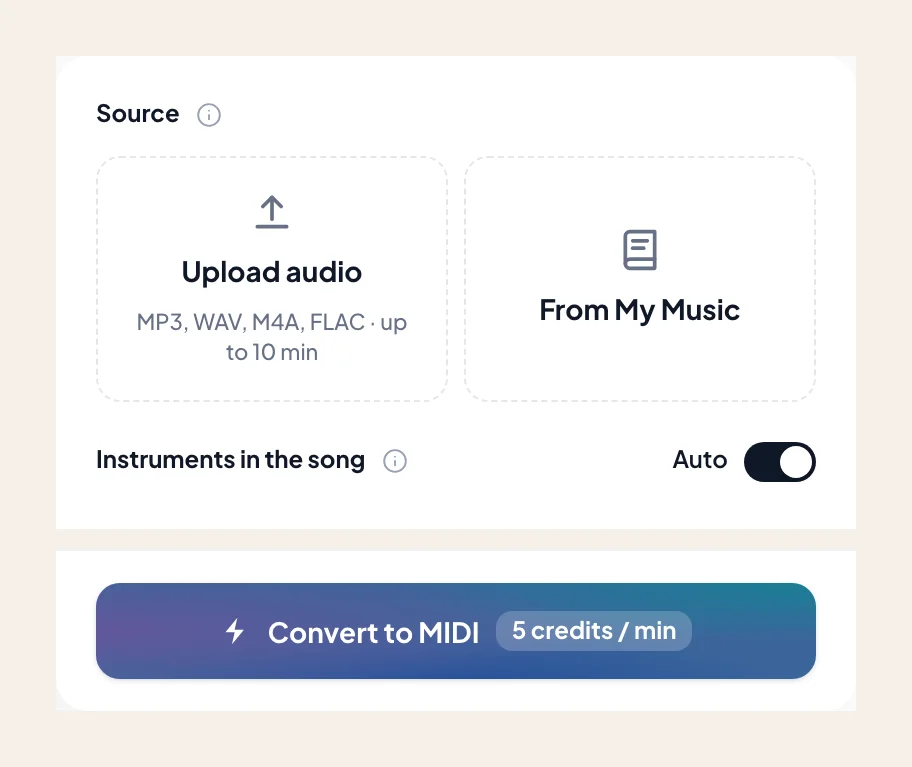
Select an MP3, WAV, M4A, or FLAC — a Telemann sonata movement, a Renaissance four-part consort, or an indie-folk woodwind hook. Or pick a saved file from My Music.
- 2
Leave recorder preselected
The recorder mask is active by default. Add cello or harpsichord only if you want continuo voices combined into the same MIDI export.
- 3
Check fast divisions and mordents on the piano roll
Scrub through rapid sixteenth-note passaggi and upper-note mordents to verify that forked-fingering timbral shifts stayed on the right pitch.
- 4
Download the .mid and voice your arrangement
Import the MIDI into your DAW to double the line with strings, feed a vintage Mellotron sampler, or build a multi-voice consort mockup.
Recorder MIDI exports for Early Music and modern producers
Take the verified .mid directly into your project. If you need printable C-soprano or F-alto staff notation, head to the Audio to Sheet Music recorder page.
- 01
Unquantized Transcription MIDI (.mid)
Retains the articulated breathing spaces ('tu', 'du', 'did'll') that define real recorder phrasing rather than smearing notes into a generic synth legato.
- 02
Compatible with Logic, Cubase, Ableton & Dorico
Drop straight onto Early Music sample libraries, retro tape-flute instruments, or chamber arrangement tracks in any Standard MIDI host.
Better recorder source audio makes cleaner consort MIDI
Room reflections in churches or hall recordings can blur crisp fipple note releases if you don't account for them.
Prefer dry or close-miked takes over wet cathedral reverb
Long stone-hall decay can make staccato Baroque divisions overlap on the piano roll. A close-miked take or a quick pass through Dereverb keeps note-off boundaries razor sharp.
Isolate the solo line when harpsichord plucks clash
Harpsichord jacks have sharp upper harmonics that can cross into the alto recorder range. Run Stem Splitter first if the continuo is mixed loud.
Use note length rather than heavy CC volume swells in your DAW
Real recorders have a narrow dynamic range before they overblow or go flat; shape your imported MIDI primarily through subtle note-length trims and gentle velocity variation.
Early music arrangers and indie producers using recorder MIDI
“I recorded three alto and tenor recorder counterlines on my phone for a medieval RPG tavern cue. The MIDI came back with all the detached tonguing intact so I could layer them in Logic.”
“Forked fingerings on an acoustic wooden recorder usually confuse pitch trackers because the timbre darkens on Bb and G#. This roll nailed the Telemann divisions without phantom octave drops.”
“Having the hard mask ignore the continuo lute meant I didn't spend an hour deleting plucked chord notes out of my soprano recorder melody.”
More woodwinds and folk flutes as MIDI
Switch to related wind instruments — every page opens Audio to MIDI with that voice preselected.

Flute
Convert a song or MP3 to flute MIDI online. Capture an exposed flute line as a .mid — keep flute selected, then rewrite phrasing in your DAW.

Clarinet
Convert a song or MP3 to clarinet MIDI online. Capture a clarinet solo line as a .mid — keep clarinet selected, then rewrite in your DAW.

Soprano & alto sax
Convert a song or MP3 to alto or soprano sax MIDI online. Capture the sax melody as a .mid — keep alto / soprano sax selected, then rewrite in your DAW.
Frequently asked questions
Does Audio to Recorder MIDI give accurate results?
How do I use Audio to Recorder MIDI?
Does this page work for soprano, alto, tenor, and bass recorders?
How is the recorder MIDI page different from concert flute or ocarina?
Will Baroque ornaments like mordents and trills survive in the MIDI file?
What if harpsichord or acoustic guitar accompanies the recorder?
Can I get printable recorder sheet music from the same recording?
Can I try Audio to Recorder MIDI for free?
What do I get after conversion?
Can I open the result in my music software?
Can I use the result in my own projects and commercially?
What files can I upload?
How do I get the best result from Audio to Recorder MIDI?

Convert your recorder audio into editable MIDI
Upload your solo or consort recording, keep recorder selected, and download a clean .mid for your DAW.