Loading…

Song to Piccolo MIDI
Turn piercing upper-register piccolo passages into editable MIDI notes. Upload an MP3, WAV, M4A, or FLAC, keep piccolo selected so the transcription stays locked above the concert flute staff, inspect rapid trills and octave leaps on the piano roll, and drop the .mid straight into your orchestral template.
Hear the high piccolo line, verify every rapid note on the roll
Play your recording alongside the piano roll. Fast sixteenth-note obligatos, grace-note flicks, and soaring C7–C8 peaks are easy to verify against the audio before you export.
Reading the MIDI…
Piccolo MIDI tuned for the highest octave of the woodwind section
Piccolo-only hard mask above the staff
Opening Audio to MIDI from this page preselects piccolo as a strict hard mask. Brass fanfares, snare cadence hits, and lower woodwind pads stay out of your MIDI clip so only the piercing top voice is transcribed.
Captures D5–C8 runs, bird-like trills, and grace-note flicks
Piccolo parts live an octave above concert flute, packed with rapid whole-step trills, staccato double-tonguing, and bright march flourishes. The piano roll lays out each high pitch clearly so you can spot and clean up any harmonic overtone spike.
Unquantized .mid ready for orchestral woodwind libraries
History gives you the raw, unquantized transcription MIDI first. Drop it onto a dedicated piccolo patch in Kontakt, Sine, or Opus, then shape CC11 expression, trill keyswitches, and agile short-note velocities inside Ableton, Logic, or Cubase.
Distinct from concert flute and Celtic tin whistle
Piccolo occupies a shrill, conical/cylindrical orchestral register above standard concert flute and lacks the folk cuts and breathy overblows of a pennywhistle. If your track features a warm C4–C6 melody or an Irish reel, use the Flute or Whistle MIDI pages instead.
How to convert a song into piccolo MIDI
Four focused steps from a high woodwind recording to an orchestral-ready .mid file.
- 1
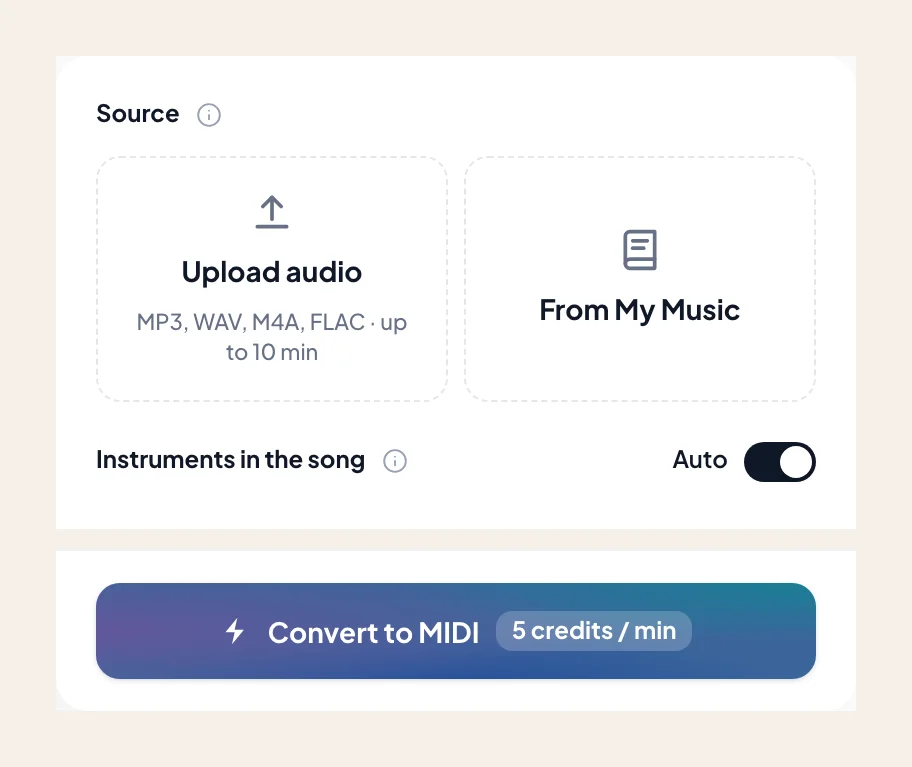
Upload up to 10 minutes of audio
Drop in an MP3, WAV, M4A, or FLAC — an orchestral tutti crest, a Sousa march obligato, or a solo woodwind audition take. You can also load a track from My Music.
- 2
Keep piccolo selected as the target voice
Piccolo is preselected by default here. Leave it isolated unless you specifically want concert flutes or upper strings merged into the same MIDI file.
- 3
Audit high trills and register leaps on the piano roll
Scrub through fast ornamental passages against the original audio to confirm that third-octave bursts did not double-trigger an octave higher.
- 4
Export the .mid to your DAW woodwind track
Download the Standard MIDI file and route it to your high-woodwind virtual instrument to refine articulation switches and phrase dynamics.
Piccolo MIDI output built for composers and arrangers
Once the high register looks clean on the roll, download your .mid. Need a printed transposition part instead? Visit the Audio to Sheet Music piccolo page.
- 01
Unquantized Transcription MIDI (.mid)
Preserves the exact micro-timing of fast runs, flutter-tongued bursts, and ornamental grace notes so your DAW playback never sounds stiff.
- 02
Ready for Kontakt, Opus & Logic Orchestral Templates
Import into Logic, Cubase, Ableton, or Dorico/Sibelius scratch tracks, keeping the sounding pitch range intact or transposing down an octave for notation libraries.
Cleaner piccolo audio yields sharper high-register MIDI
High frequencies cut through a mix, but cymbals and violin harmonics can still crowd the top octave.
Separate dense tutti mixes before transcribing
When glockenspiel, triangle, or high violins double the piccolo line, run Stem Splitter first so metallic percussion transients do not register as extra high MIDI notes.
Watch the sounding pitch vs written transposition
Piccolo sounds one octave higher than written on traditional scores. The MIDI piano roll displays true sounding pitches (D5–C8), which you can shift by -12 semitones if a sample patch expects written range.
Tame shrill attack velocities in your host
Acoustic piccolo recordings hit the mic capsule hard above G6. After importing the .mid, compress the top velocity ceiling slightly so sample patches sit naturally in the woodwind choir.
Orchestrators and band arrangers who needed real piccolo MIDI
“Transcribing the classic march trio piccolo obligato by ear always gave me ear fatigue above A6. Pulling the exact thirty-second-note runs onto the piano roll saved my afternoon.”
“The hard mask kept the brass section and snare rimshots out of the upper register, leaving just the bird-call trill motifs ready for my Spitfire woodwind template.”
“I checked the D7 peaks right against the reference track in the browser roll, exported the unquantized .mid, and mapped my legato keyswitches in Cubase in five minutes.”
More high woodwinds and orchestral instruments as MIDI
Explore sibling woodwinds and folk flutes — each page opens Audio to MIDI with that instrument preselected.

Flute
Convert a song or MP3 to flute MIDI online. Capture an exposed flute line as a .mid — keep flute selected, then rewrite phrasing in your DAW.

Clarinet
Convert a song or MP3 to clarinet MIDI online. Capture a clarinet solo line as a .mid — keep clarinet selected, then rewrite in your DAW.
Soprano & alto sax
Convert a song or MP3 to alto or soprano sax MIDI online. Capture the sax melody as a .mid — keep alto / soprano sax selected, then rewrite in your DAW.
Frequently asked questions
Does Song to Piccolo MIDI give accurate results?
How do I use Song to Piccolo MIDI?
Does the piccolo MIDI output use sounding pitch or written pitch?
Why use the piccolo page instead of the standard flute or whistle MIDI page?
How are fast piccolo trills and grace notes represented in the .mid file?
What if glockenspiel or high violins are doubling the piccolo in my MP3?
Can I get printable piccolo sheet music instead of a DAW MIDI file?
Can I try Song to Piccolo MIDI for free?
What do I get after conversion?
Can I open the result in my music software?
Can I use the result in my own projects and commercially?
What files can I upload?
How do I get the best result from Song to Piccolo MIDI?

Convert your high woodwind recording to piccolo MIDI
Upload your track, keep piccolo locked in, and download an accurate .mid for your orchestral session.