Loading…
Audio to Shanai MIDI
Transform piercing, expressive shanai (shehnai) and traditional conical double-reed solos into editable MIDI. Upload an MP3, WAV, M4A, or FLAC, keep shanai selected to mask out tabla, dhol, and tanpura drones, inspect vocal-like meend glides on the piano roll, and bring the .mid into your DAW.
Hear the conical double reed, trace every melodic curve on the roll
Play your source audio alongside the piano roll. Intense nasal attacks, lip-controlled pitch curves, and rapid folk oscillations are mapped out clearly so you can check the phrase before exporting.
Reading the MIDI…
Shanai MIDI engineered for keyless double-reed projection and glides
Shanai-only hard mask away from dhol, tabla, and swarmandal
Starting Audio to MIDI from this page locks the hard mask onto the shanai double-reed voice. Booming dhol percussion, intricate tabla thekas, and shimmering accompaniment strings stay out of your MIDI melody.
Tracks keyless finger-hole slides and intense nasal harmonics
A traditional shehnai has no metal keys—players slide fingers across open holes and vary embouchure pressure to bend continuously between swaras. The transcription traces these expressive glides and fast gamak oscillations as detailed stepped MIDI notes.
Unquantized .mid for world-wind libraries and cinematic scoring
History delivers the unquantized transcription MIDI first, preserving free-tempo alap phrasing and ecstatic festival accelerations. Drop it onto an ethnic double-reed patch in Kontakt or Opus and shape pitch-bend automation in Logic, Cubase, or Ableton.
Distinct from Western orchestral oboe and Highland bagpipe
Unlike a keyed Western oboe with discrete equal-tempered jumps or a bagpipe with locked mixolydian chanter holes and constant drones, shanai thrives on wide vocal glides and flares from an open metal bell. Use Oboe or Bagpipe pages for those instruments.
How to turn a shanai recording into MIDI
Four steps from a classical raga or world-cinema cue to an editable .mid file.
- 1
Upload up to 10 minutes of shanai audio
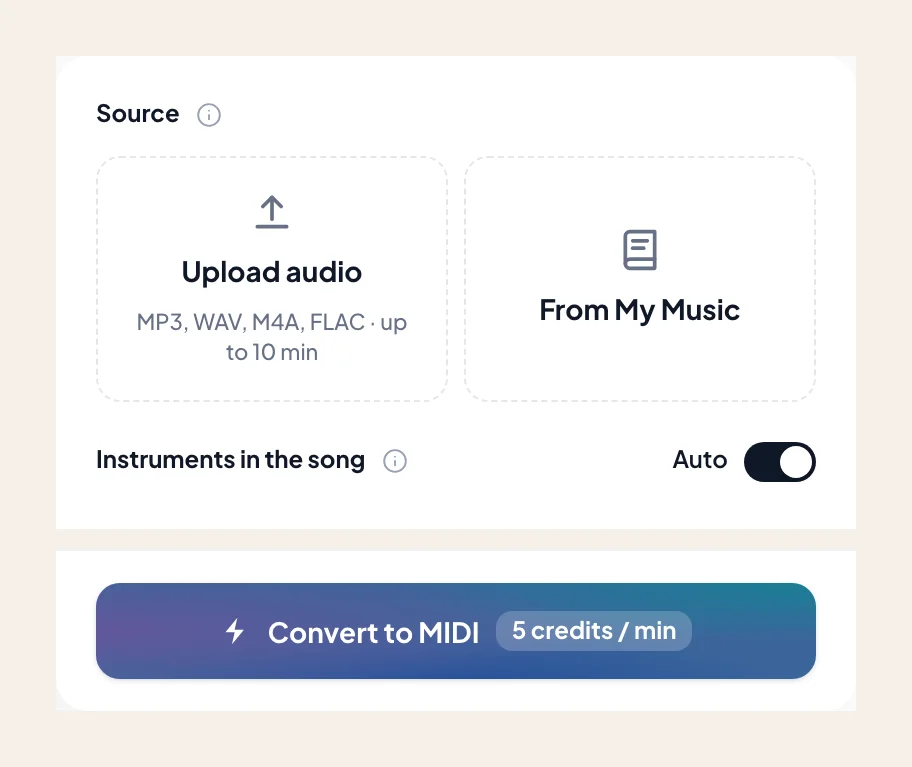
Drop an MP3, WAV, M4A, or FLAC — a North Indian classical shehnai recital, a Bollywood wedding motif, or a folk double-reed film stem. Or select a track from My Music.
- 2
Keep shanai preselected
Shanai is preselected by default. Leave it isolated so accompanying percussion or low surpeti/duggah drone pipes don't clutter your solo melody track.
- 3
Check stepped glides and ornamental turns on the piano roll
Scrub the piano roll against the recording to see how continuous lip-and-finger bends resolve into chromatic MIDI steps and target scale degrees.
- 4
Download .mid and sculpt pitch curves in your DAW
Import the .mid into your DAW to trigger world woodwind libraries, double with orchestral strings, or smooth stepped transitions with MIDI Pitch Bend.
Shanai MIDI exports for world music and film composers
Download the verified .mid for your DAW template. If you want printable staff notation of the melody, switch to the Audio to Sheet Music shanai page.
- 01
Unquantized Transcription MIDI (.mid)
Preserves rubato alap openings, breath-driven crescendos, and intricate ornamental flurries without forcing them onto a rigid Western 4/4 grid.
- 02
Ready for Kontakt World Winds, Silk & Cinematic Templates
Drop into Logic, Cubase, Ableton, or FL Studio to drive sampled shehnai, zurna, duduk, or hybrid synth-reed patches.
Get the cleanest MIDI from expressive shanai recordings
Because a shehnai bends continuously between notes and often plays over a drone, a quick workflow tweak makes DAW editing effortless.
Smooth stepped chromatic glides into Pitch Bend curves
Standard MIDI notes sit on 12-TET semitones, so a slow raga meend glide transcribes as a staircase of short chromatic notes. In your DAW, connect the start and end notes and draw a continuous Pitch Bend wheel curve for authentic portamento.
Mute or trim low surpeti / accompaniment drone pipes if present
Classical shehnai ensembles often include a second player holding a constant tonic drone (sur). If that low tonic reed appears at the bottom of the roll, simply mute that single pitch row in your DAW.
Separate dense festival percussion mixes first
When loud outdoor dhol and tasha drums clip the recording, run Stem Splitter first so high-frequency drum transients don't interfere with the double-reed attack detection.
World music producers and film scorers using shanai MIDI
“I needed to double an archival Bismillah Khan-style shehnai phrase with our cinematic string section. The unquantized piano roll showed every ornamental turn and resting swara clearly.”
“Generic woodwind converters choke on open-hole double reeds because the nasal harmonics are so hot above 3 kHz. Using the dedicated shanai mask gave me a clean single-line lead right away.”
“Pulled the .mid into Cubase, converted the stepped half-step slides into expression and pitch-bend lanes on our ethnic wind library, and the mockup sounded completely alive.”
More double reeds and global wind instruments as MIDI
Explore related reeds and flutes — each page opens Audio to MIDI with that instrument preselected.
Flute
Convert a song or MP3 to flute MIDI online. Capture an exposed flute line as a .mid — keep flute selected, then rewrite phrasing in your DAW.
Clarinet
Convert a song or MP3 to clarinet MIDI online. Capture a clarinet solo line as a .mid — keep clarinet selected, then rewrite in your DAW.
Soprano & alto sax
Convert a song or MP3 to alto or soprano sax MIDI online. Capture the sax melody as a .mid — keep alto / soprano sax selected, then rewrite in your DAW.
Frequently asked questions
Does Audio to Shanai MIDI give accurate results?
How do I use Audio to Shanai MIDI?
What instruments does the Shanai MIDI page cover?
How do microtonal raga bends (meend) and oscillations (gamak) translate to MIDI?
Why choose Shanai instead of the Oboe or Bagpipe MIDI pages?
Will tabla or dhol drums show up in my shanai MIDI file?
Can I get printable sheet music for a shanai melody?
Can I try Audio to Shanai MIDI for free?
What do I get after conversion?
Can I open the result in my music software?
Can I use the result in my own projects and commercially?
What files can I upload?
How do I get the best result from Audio to Shanai MIDI?
Convert your shanai audio to editable MIDI
Upload your double-reed recording, keep shanai selected, and download a .mid ready for your DAW.